How to Archive an Account
Last updated: April 2, 2026
Accounts can't be deleted in OnRamp — but archiving is the next best thing. When you archive an account, it disappears from your active account list without taking any of its data with it. Projects, tasks, comments, files — it's all still there if you ever need to come back to it.
How to Archive an Account
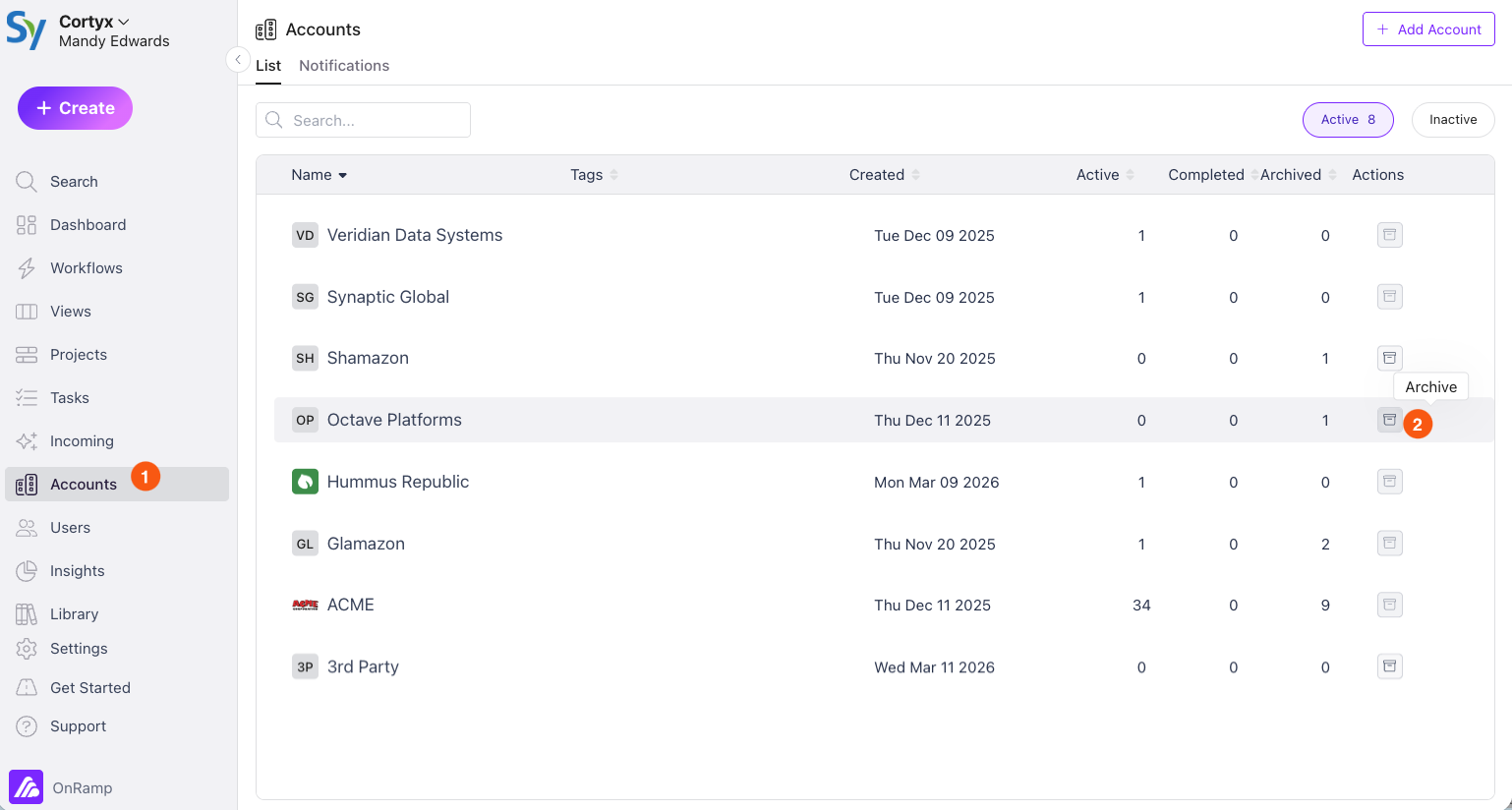
Go to Accounts in the left-hand navigation.
Find the account you want to archive in the list.
Click the Archive button next to that account.
What Happens When You Archive an Account
Data is preserved. All projects, tasks, comments, and files tied to the account remain intact. Nothing is lost.
It's removed from your active list. The account won't appear in your default Accounts view, keeping your workspace clean and focused.
It can be unarchived. Changed your mind? You can restore an archived account at any time.
Before You Archive: Handle Active Projects
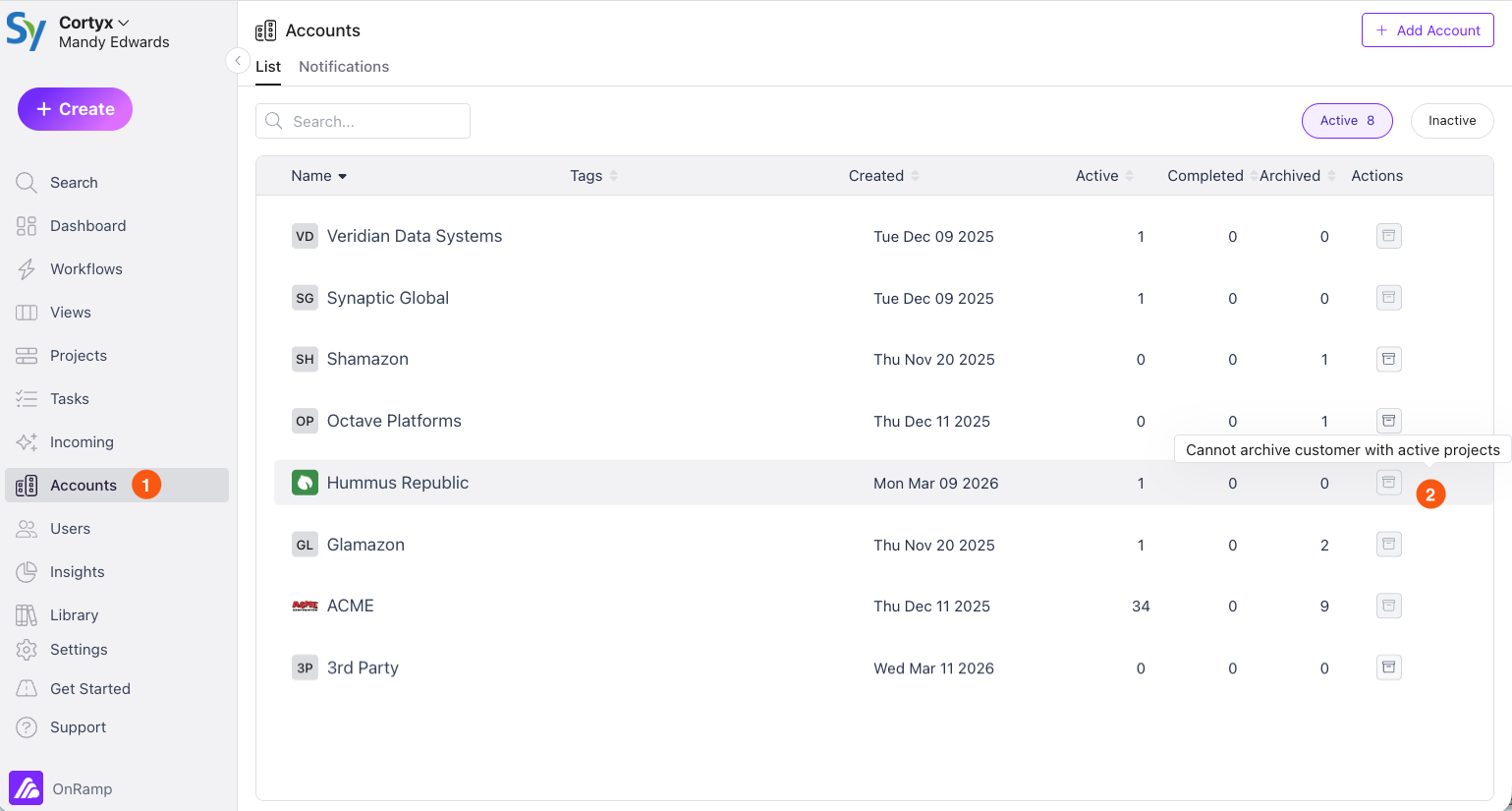
If the account has active projects, you won't be able to archive it until those projects are completed or archived first. The Archive button will be disabled as a reminder.
Tips
Archive ≠ delete. OnRamp doesn't support permanent account deletion. Archiving is the closest equivalent — it removes the account from your working view without destroying any data.
Wrap up projects first. Before archiving, consider completing or archiving any open projects associated with the account so your active project list stays tidy too.
Finding archived accounts. Use the account status filter in your Accounts list to view archived accounts whenever you need to reference or restore one.