November 19, 2025 Release: Faster Process, Smarter Structure, Deeper Insights
Last updated: March 27, 2026
November Release: Faster Process, Smarter Structure, Deeper Insights
When your team is juggling dozens of projects, hundreds of tasks, and constant deadlines, even small inefficiencies add up fast. That's why November's enhancements are all about helping you work smarter at scale — reducing manual effort, tightening your processes, and giving you clearer visibility into the details that matter.
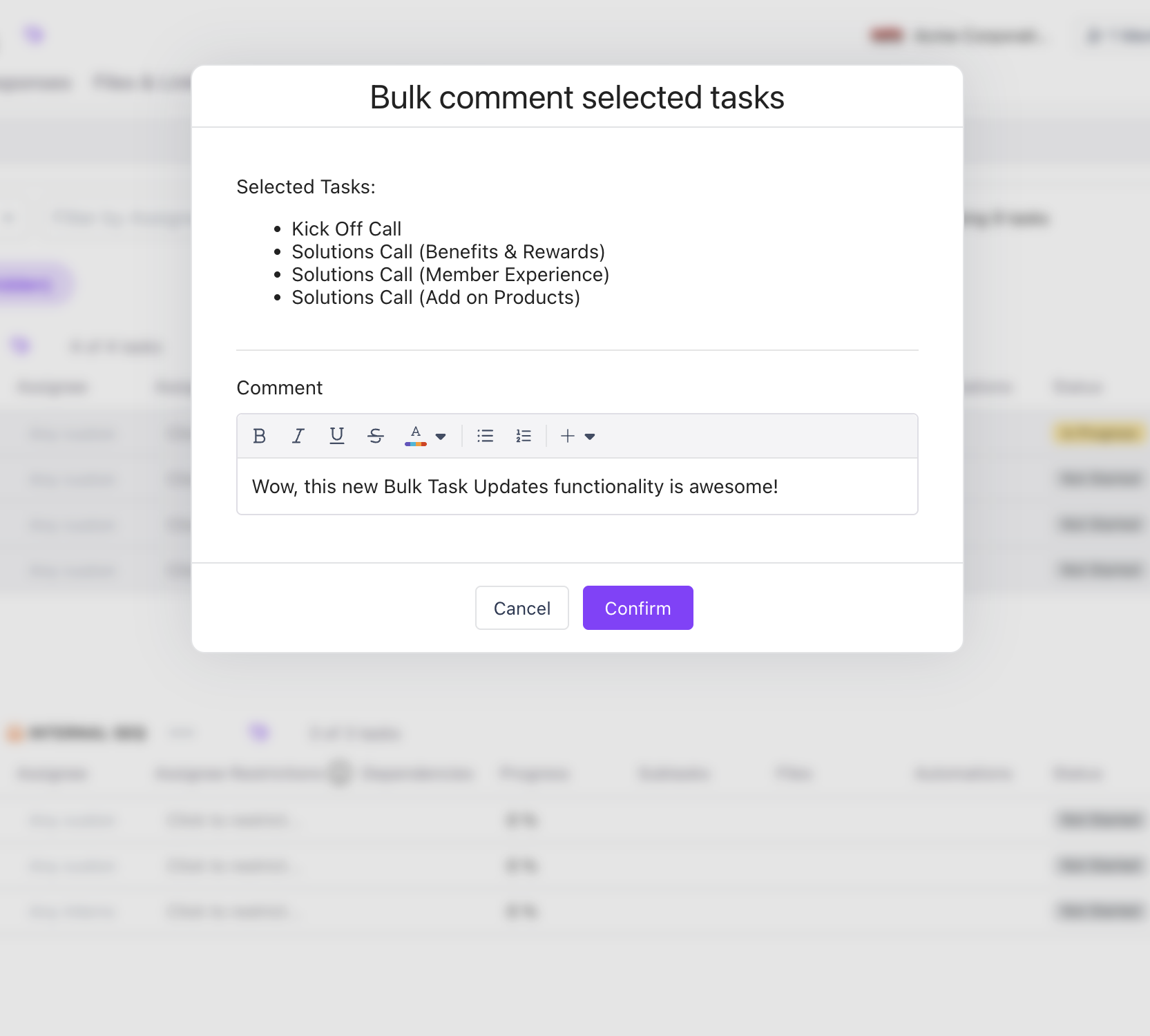
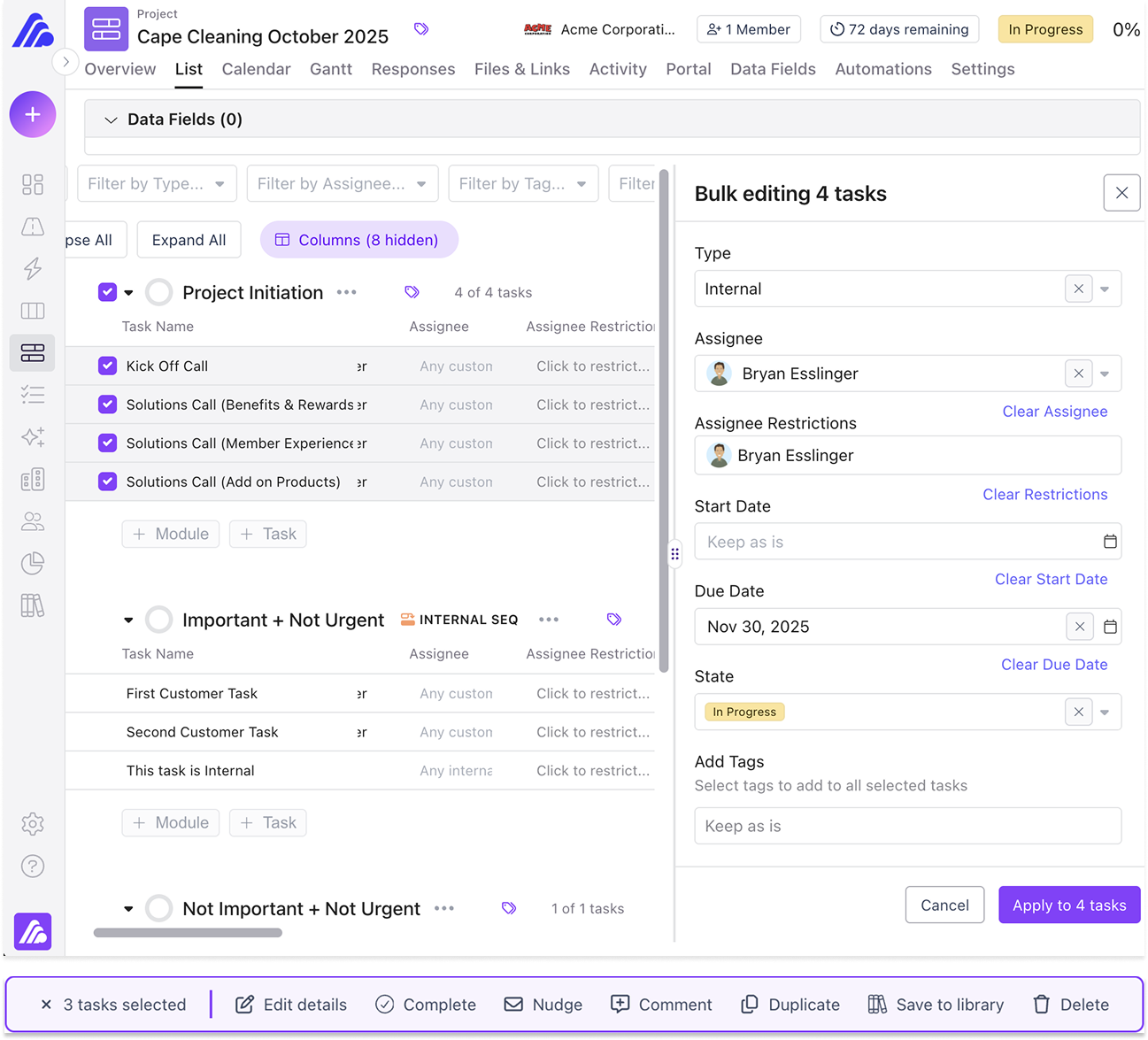
Save Time and Reduce Busywork with Bulk Update Tasks
No one wants to make the same update over and over — especially when it eats into time you could spend on higher-value work. Until now, modifying multiple tasks meant editing them one by one. Not anymore.
Bulk Update Tasks let you select all the tasks you need and apply changes instantly. It's faster, more consistent, and dramatically reduces the chance of anything slipping through the cracks. Imagine marking 20 tasks as complete or nudging dozens of overdue tasks — all in seconds. That's the power of bulk.
Some of the most popular bulk actions include: Bulk Edit Details, Bulk Complete, Bulk Duplicate, Bulk Save to Library, Bulk Delete, and Bulk Nudge (our personal favorite).
Explore more with our Help Desk article.
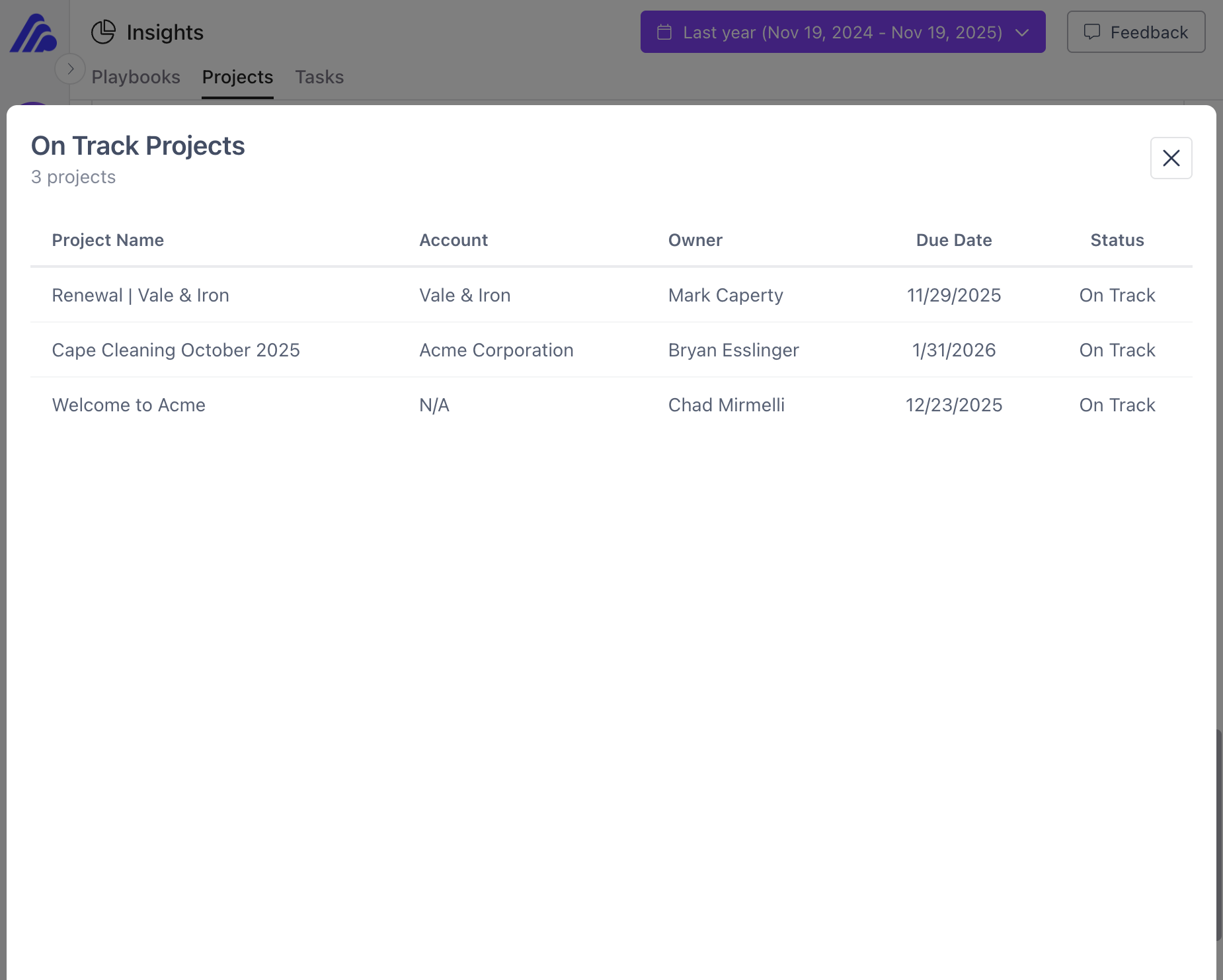
Dive Deeper Into Your Data with Click-Through on Insights
Insights already gives you fast, high-level summaries — project pipelines, playbook trends, task breakdowns, and more. But sometimes you need answers that live beneath the charts.
Click-Through on Insights lets you drill into any chart or graph with a single click to explore the underlying data. Spot a spike in overdue projects? Curious which customers account for a surge in completions? With drill-downs, those answers are seconds away.
Improve Structure, Clarity, and Reporting with Advanced Module Controls
Modules already let you package related tasks into reusable building blocks for any playbook — ideal for standardizing complex workflows. With this release, they get even smarter, more flexible, and more structured, giving your team: better visibility across projects, stronger guardrails for consistency, and richer data for filtering, reporting, and automation.
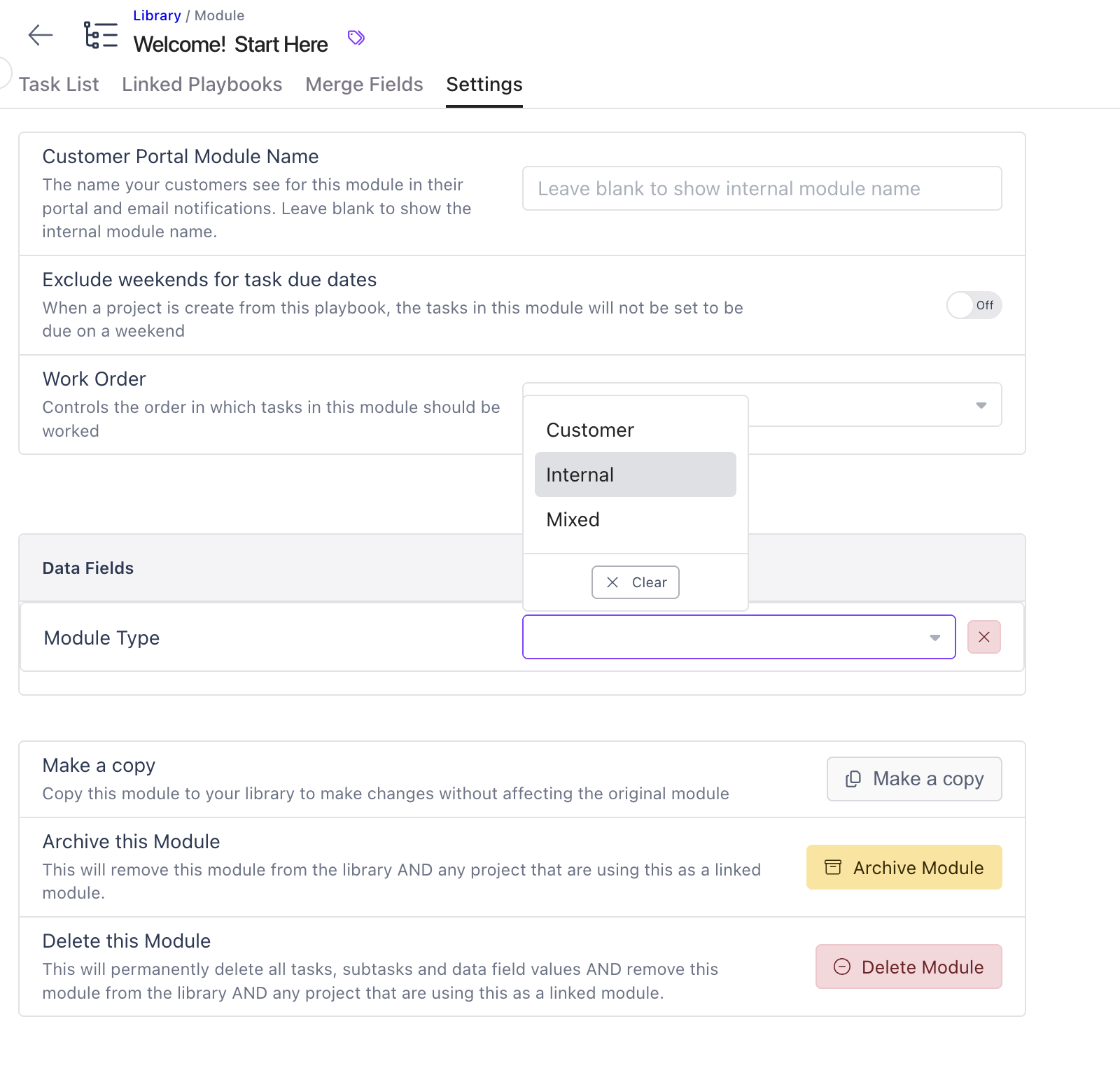
Module Data Fields
Add structured metadata to any module to power deeper reporting and smarter automation — helping you instantly answer questions like "Which integration modules are currently in flight?" or "Which product-line workflows are used most often this quarter?"
Common examples include: Module Category (Discovery, Setup, Integration), Product Line (Core Platform, Product A, Add-On Services), Integration Type (Native, Third-Party, Custom, None), and Customer Type (Enterprise, SMB).
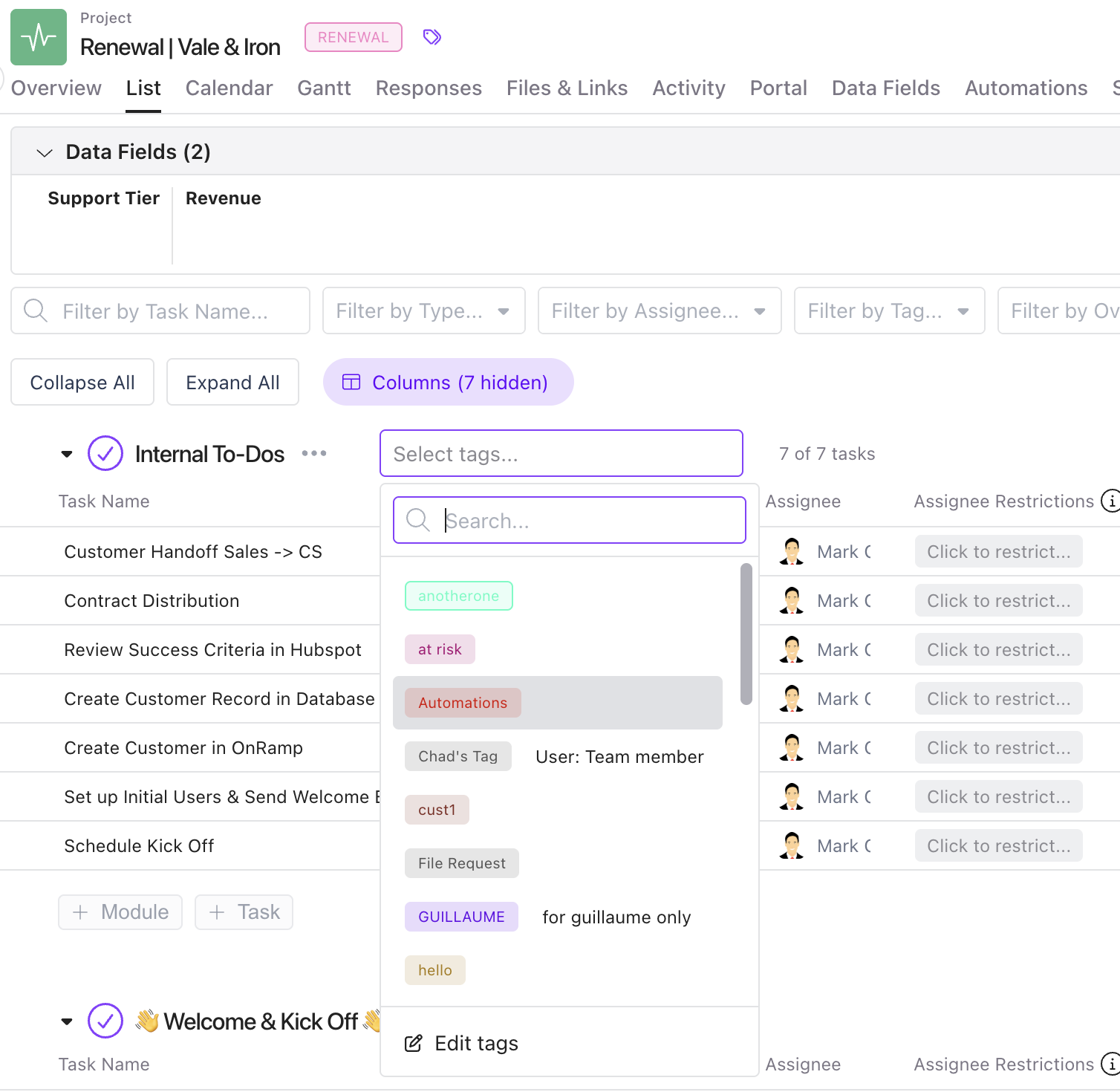
Module Tags
Apply fast, flexible labels that surface meaningful context at a glance — such as complexity ("High Touch Required," "Complex Integration") or special requirements ("Requires Legal Review," "White Glove Service"). Tags make triage and prioritization easier across projects.
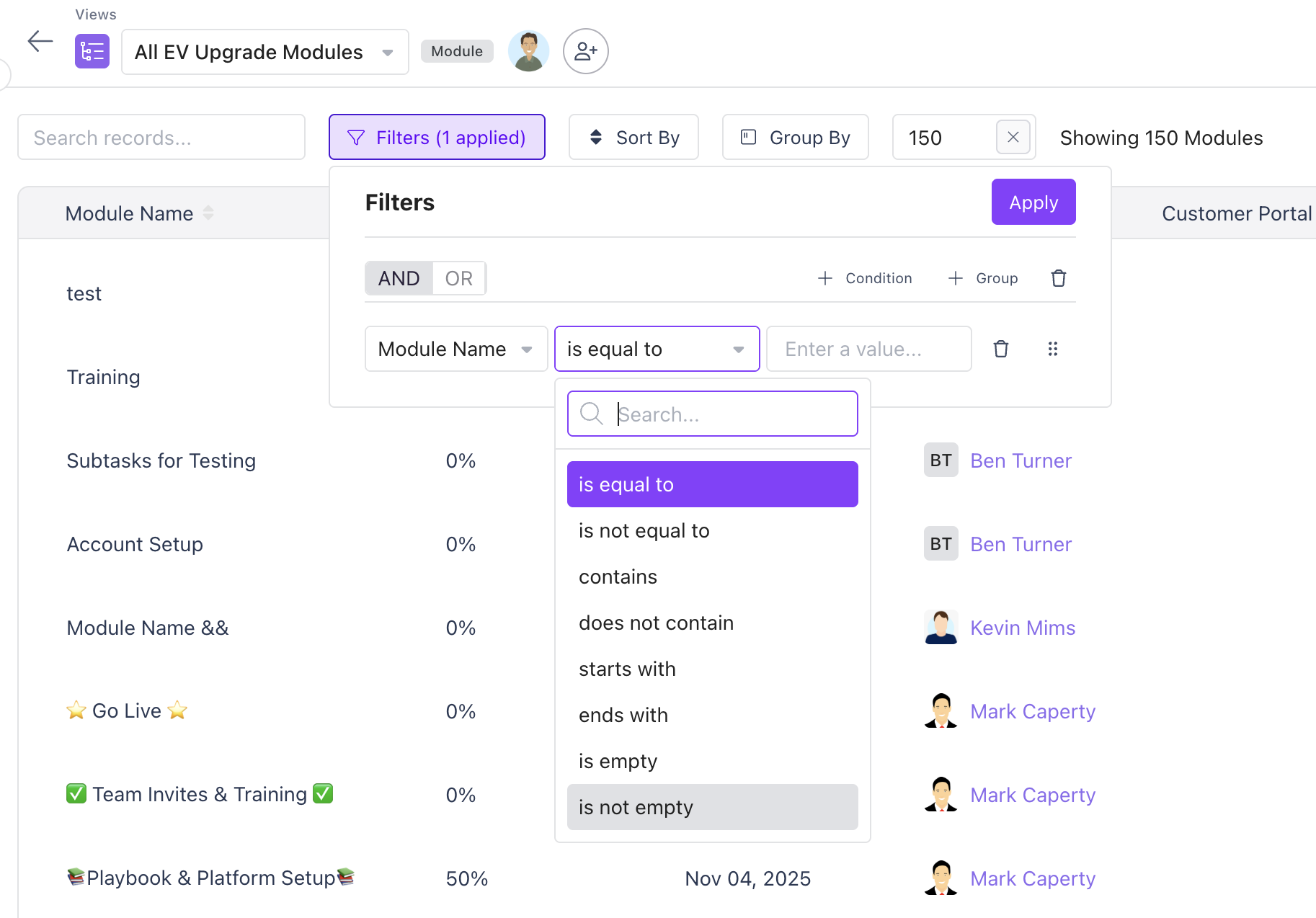
Module Views
Filter, sort, and view modules across all active projects to quickly spot bottlenecks, identify workload patterns, and see where work may be slowing down.
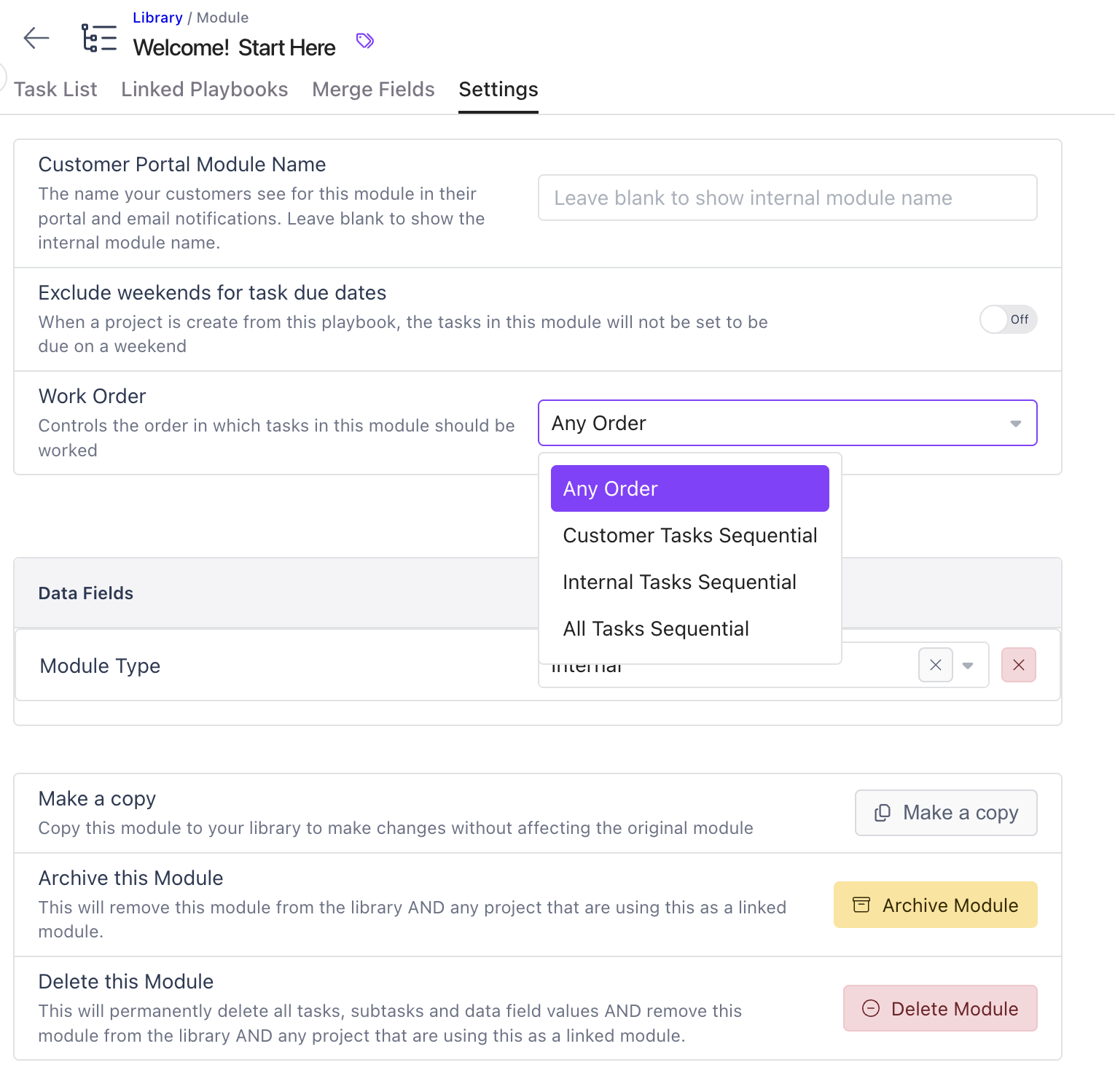
Module Sequential Task Controls
Guide work the way it should happen. Enforce the right task order — whether tasks can be completed in any order, must follow an internal sequence, require customer-specific sequencing, or must follow a full end-to-end workflow. This keeps projects cleaner and ensures customers always move through the optimal path.
Explore more with our Help Desk article.
Small Improvements. Big Impact. All Available Now.
These enhancements are live and ready to use today — giving your teams more speed, more structure, and more clarity across every customer project. If you'd like help putting these new capabilities to work, just let us know.