Import Users in Bulk into OnRamp
Last updated: March 20, 2026
Need to add multiple users at once? Use OnRamp’s CSV import template to upload users in bulk and assign roles, tags, and data fields in a single step.
Step 1: Download the Import Template
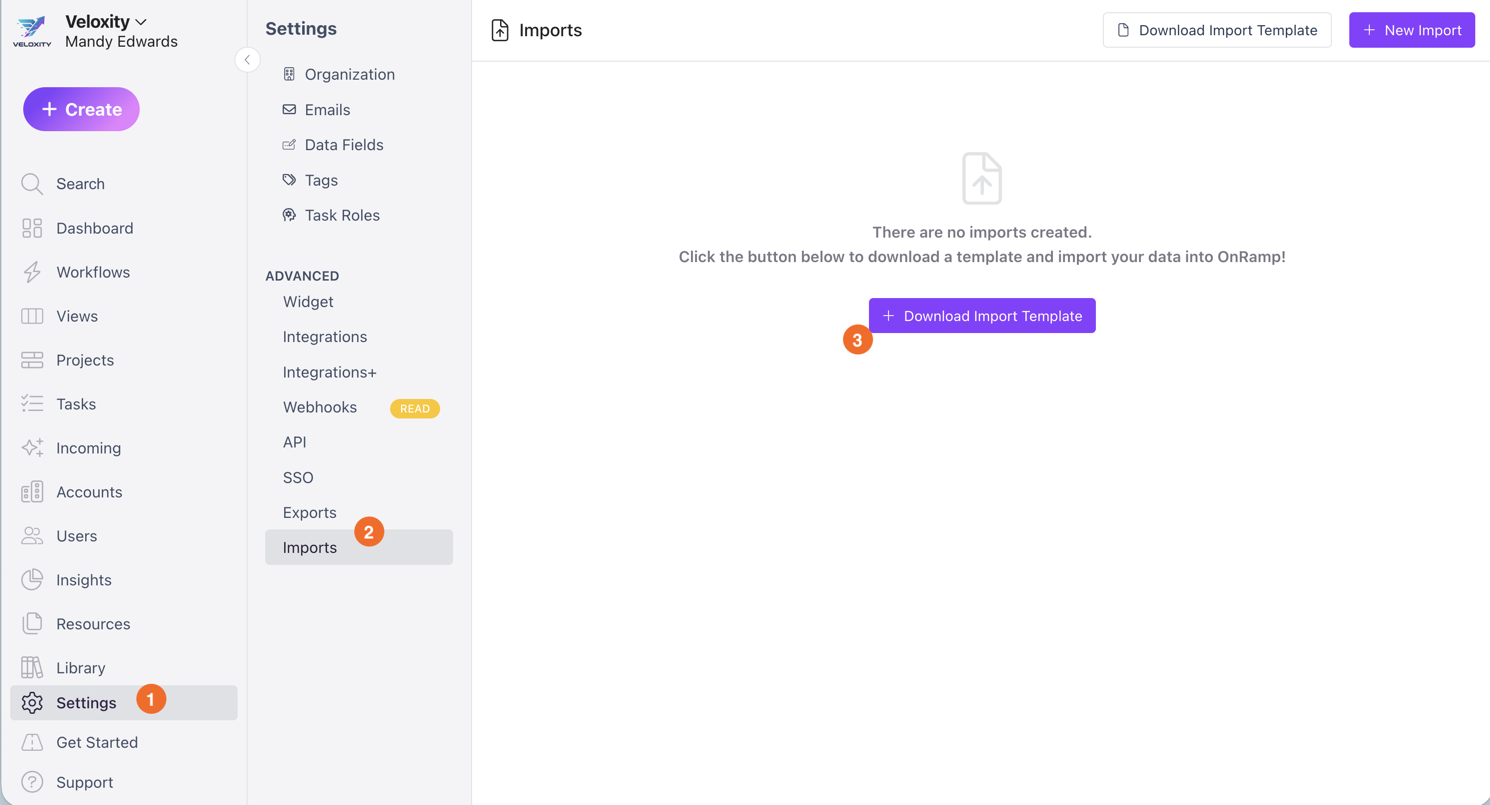
In OnRamp, go to Settings.
Click Imports.
Download the User Import Template.
Step 2: Fill In the Template
Update the CSV file with your user data. Each row represents one user.
The following headers are required in the uploaded CSV:
first_name
last_name
email_address
role_code
Must be one of the following allowed values:CREATOR
CONTRIBUTOR
COLLABORATOR
INTEGRATOR
These are optional fields:
job_title
invite_user
Controls whether the user receives an invite
Must be one of the allowed values:True
Yes
False
No
user.tags
Tags to apply to the userSeparate multiple tags with semicolons
Example:
userTag1; userTag2If a tag doesn’t exist, it will be created automatically
user.data_fields
Data field values to applyAll available user data fields will be included in the template
Tip: You can edit the CSV in Excel or Google Sheets. Be sure to export or save the file as a .csv before uploading.
Step 3: Import Into OnRamp
Return to Settings › Imports.
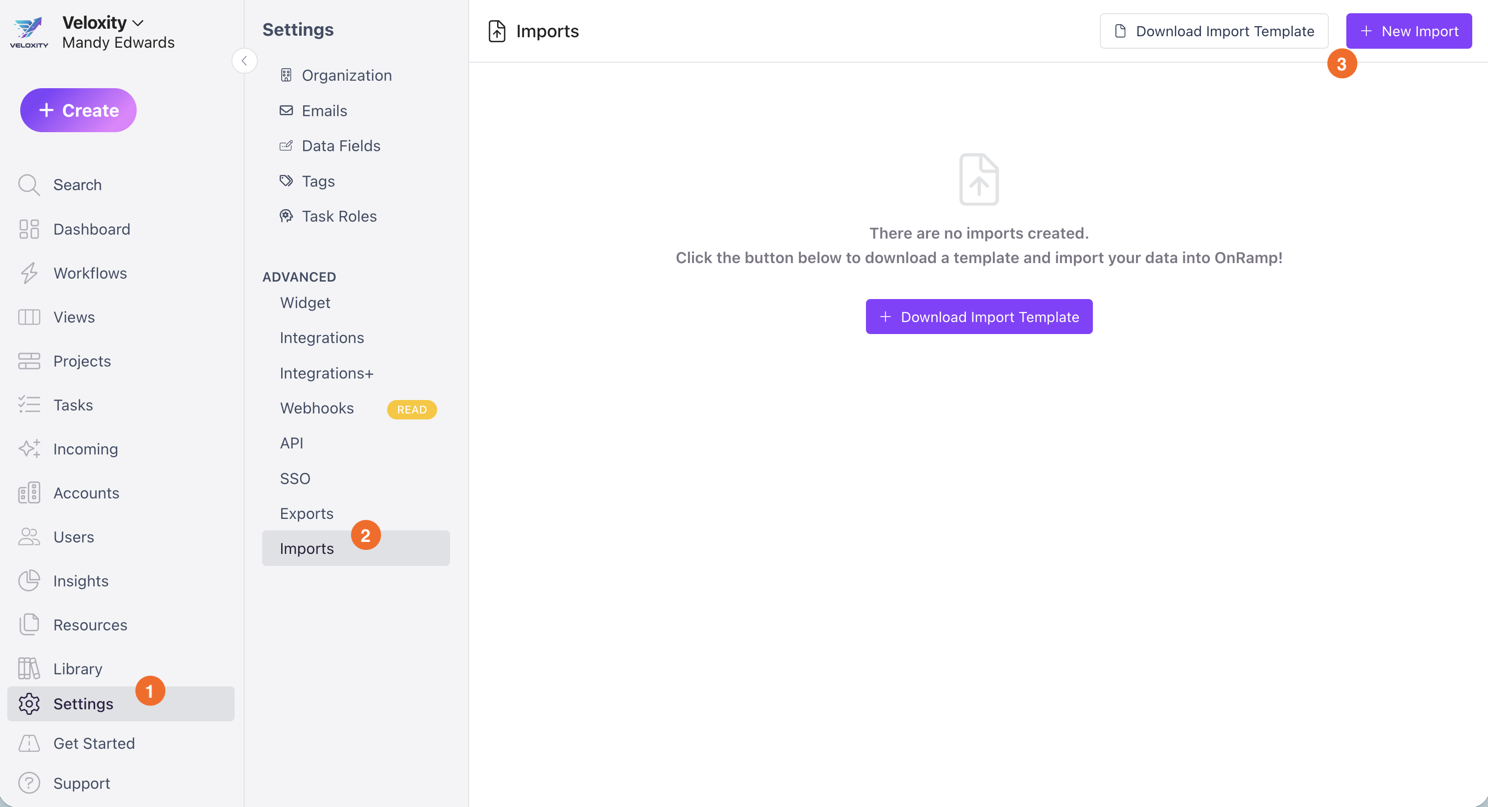
Upload your completed CSV file.
OnRamp will process the file and create users with their assigned roles, tags, and data fields.
Tips & Troubleshooting
Import failed? Ensure all required headers are present and match the template exactly.
Invalid roles? Confirm that role_code values match the allowed options exactly (no typos).
Users not invited? Check that invite_user is set to True or Yes.
Tags not applied? Make sure tags are separated with semicolons (
;).Need to update users later? You can edit user details, roles, tags, and data fields directly in OnRamp after import.